
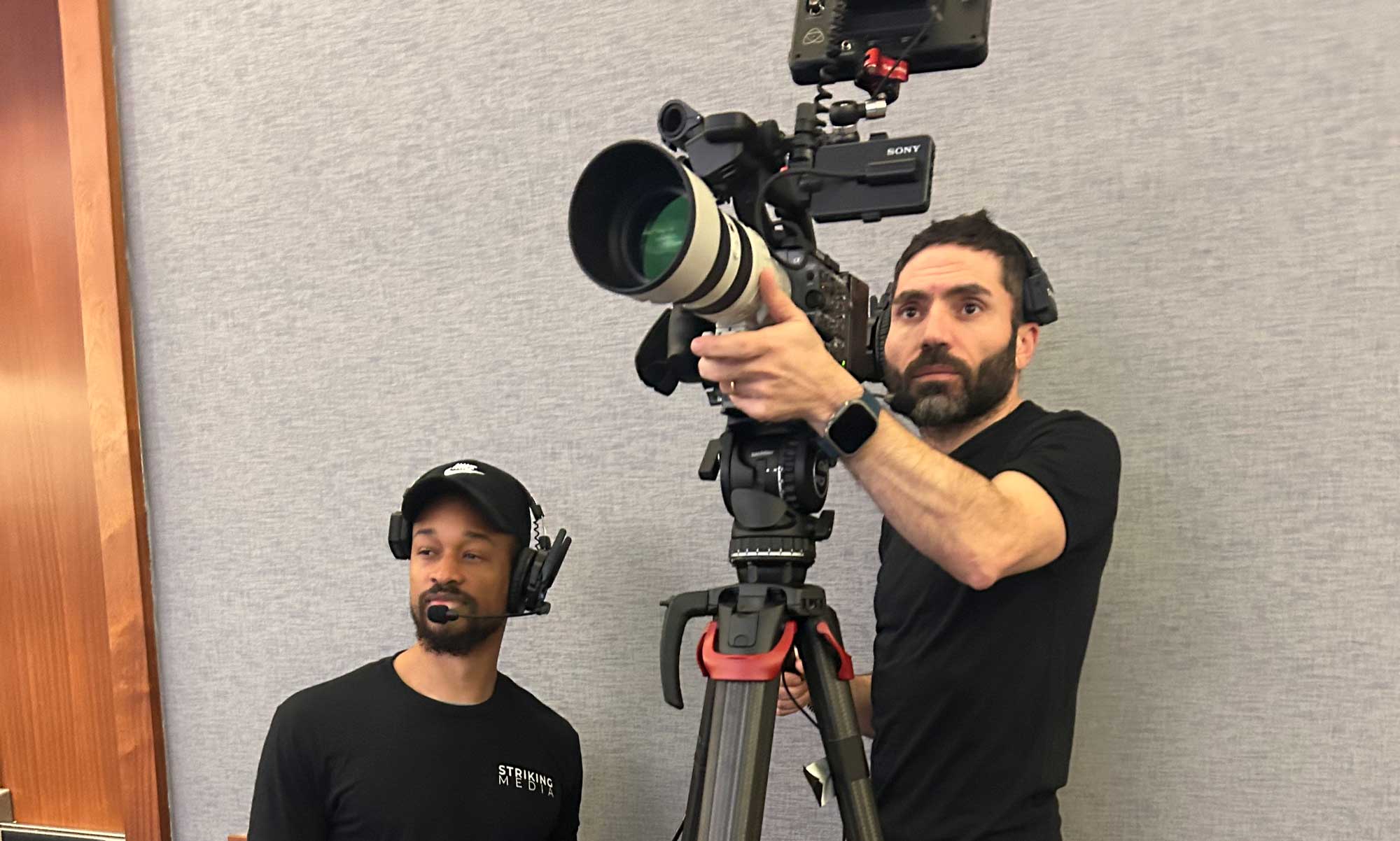
Planning a conference in Washington, DC involves decision, decisions, and more decisions, from selecting the venue and coordinating speakers to managing AV, registration, and attendee experience. One question event planners frequently face is: How many cameras does a conference actually need?
The answer depends less on the number of attendees and more on what you need to capture, how the event is structured, and what you plan to do with the footage afterward.
For most professional conferences, a two- or three-camera setup is a strong starting point. Larger conferences, multi-room events, and productions requiring interviews, audience interaction, livestreaming, or extensive post-event content may require significantly more.
If you’re evaluating conference videography Washington DC providers, here’s how to determine the right camera setup for your event from Striking Media, an experienced media production company who has filmed events big and small.
What Does a Multi-Camera Conference Setup Do?
A multi-camera production allows the video team to capture different perspectives simultaneously. Instead of relying on one static shot, your production crew can switch between a wide shot of the stage, a close-up of the speaker, audience reactions, presentation screens, and other important moments.
For a professionally produced conference recording, this flexibility can make the difference between footage that simply documents an event and video that feels polished and engaging.
When Two Cameras May Be Enough
A two-camera setup can work well for a smaller conference, keynote, panel discussion, or single-room event.
A typical configuration might include:
- Camera 1: A wide or medium-wide shot covering the stage.
- Camera 2: A tighter shot focused on the keynote speaker or panelists.
This approach provides enough flexibility to edit between angles while maintaining continuous coverage.
Two cameras may be particularly appropriate when your primary deliverable is a straightforward conference recap video, keynote recording, or edited presentation.
However, event planners should consider the final deliverable before choosing the smallest possible setup. If you want dynamic social media clips, speaker highlights, audience reactions, and interviews, additional coverage will usually be beneficial.
When Three Cameras Are Better
For many Washington, DC conferences, three cameras offer a practical balance between production quality and budget.
A three-camera setup could include:
- Wide camera: Establishes the room and provides a continuous safety shot.
- Speaker camera: Captures close-ups of keynote speakers or panelists.
- Audience/alternate camera: Captures audience reactions, Q&A, networking, or alternate speaker angles.
This configuration gives editors considerably more options during post-production. If you want an idea of what a three camera set up looks like after editing this video we made for SAY (SAY.org) is a great example.
Larger Conferences May Need Four or More Cameras
A larger Washington, DC conference may require four, five, or more cameras when the production involves multiple speakers, large stages, audience participation, or simultaneous activities.
Consider additional cameras if your event includes:
| Large keynote stages | A dedicated wide shot and multiple speaker angles can provide more flexibility. |
| Panel discussions | Several panelists may require additional angles, particularly when speakers interact frequently. |
| Audience Q&A | A camera positioned to capture audience members asking questions can make the final video feel more complete. |
| Networking | Separate coverage may be needed for receptions, networking sessions, and attendee interactions. |
| Interviews | If you’re recording executive interviews or attendee testimonials, a dedicated camera setup may be necessary so interviews don’t interfere with stage coverage. |
| Livestreaming | Live productions often require multiple camera angles to keep the broadcast visually engaging and provide the technical team with backup options. |
Does the Number of Rooms Change the Camera Count?
One of the biggest factors in determining conference videography needs isn’t the number of attendees, it’s the number of spaces being used simultaneously.
A conference with one ballroom and 500 attendees could potentially require fewer cameras than a 200-person conference spread across a ballroom, breakout rooms, interview area, and networking space.
If multiple sessions happen simultaneously, you’ll need to determine whether every room requires dedicated video coverage or whether only select sessions should be recorded.
Washington, DC venues can also vary significantly in size and configuration. For example, the National Archives’ Presidential Conference Center includes multiple conference rooms with different capacities and configurations.
Your videography team should conduct a venue walkthrough or review floor plans before recommending a final camera count.
Don’t Forget About Audio
It’s important to remember that more cameras don’t automatically mean better conference video. Audio quality is equally important.
A beautifully framed keynote is still difficult to use if the speaker’s voice is muffled, inconsistent, or overwhelmed by room noise. Your video production team should coordinate with the event’s AV team to obtain clean audio feeds from microphones and the sound system.
That matters when your conference videos will be distributed to attendees, posted online, or used for future communications.
Choose Cameras Based on Your Deliverables
Ultimately, the best camera count starts with your content strategy.
If you only need a basic event record, two cameras may be sufficient.
If you want a polished conference recap, three cameras can provide more creative flexibility.
If you’re producing keynote recordings, panel videos, interviews, social media clips, livestreams, and promotional content, four or more cameras may make sense.
Before hiring a conference videography company in Washington DC, give your production team a list of everything you want to create from the event. A professional videographer can then determine the appropriate combination of cameras, operators, audio equipment, lighting, and crew.
The goal isn’t to use the most cameras possible. It’s to use enough cameras to capture every important moment and produce the final content your organization actually needs. Ready to get the best possible footage of your event? Get in contact with Striking Media and we can tell you exactly how many you will need.
Frequently Asked Questions
How many cameras are typically needed for a conference?
Most single-room conferences can work with two or three cameras, while larger or more complex events may require four or more.
Does a keynote speaker need more than one camera?
A keynote can be recorded with one camera, but two or three cameras provide additional angles and make the finished video more engaging.
How many cameras are needed for a conference with multiple rooms?
Each simultaneously active room that requires dedicated recording may need its own camera and operator or a remotely controlled camera system.
Does livestreaming require multiple cameras?
Livestreaming does not always require multiple cameras, but multiple angles generally provide a more professional and flexible live viewing experience.
Should conference videography include interviews?
If interviews, testimonials, or executive messages are part of your deliverables, plan for dedicated interview coverage so those recordings don’t conflict with stage coverage.
Author Bio:
Striking Media is led by Helen Saks. British born, Helen started her career at the BBC Television Centre in London and has worked in comedy, entertainment, news, documentary and spent years on the daytime show “This Morning” (think “Good Morning America.”) She started Northern Virginia-based Striking Media in 2020 and works with a passionate team of production talent. We are proud to work with corporate and no profit clients elevating your brand and telling your story. Our team is proud to have worked with clients such as the US Army, Lego, Legal&General, Boy Scouts of America, LuluLemon, Sheraton Hotels, Canon USA, South Moon Under, World Bank and United Nations.
