
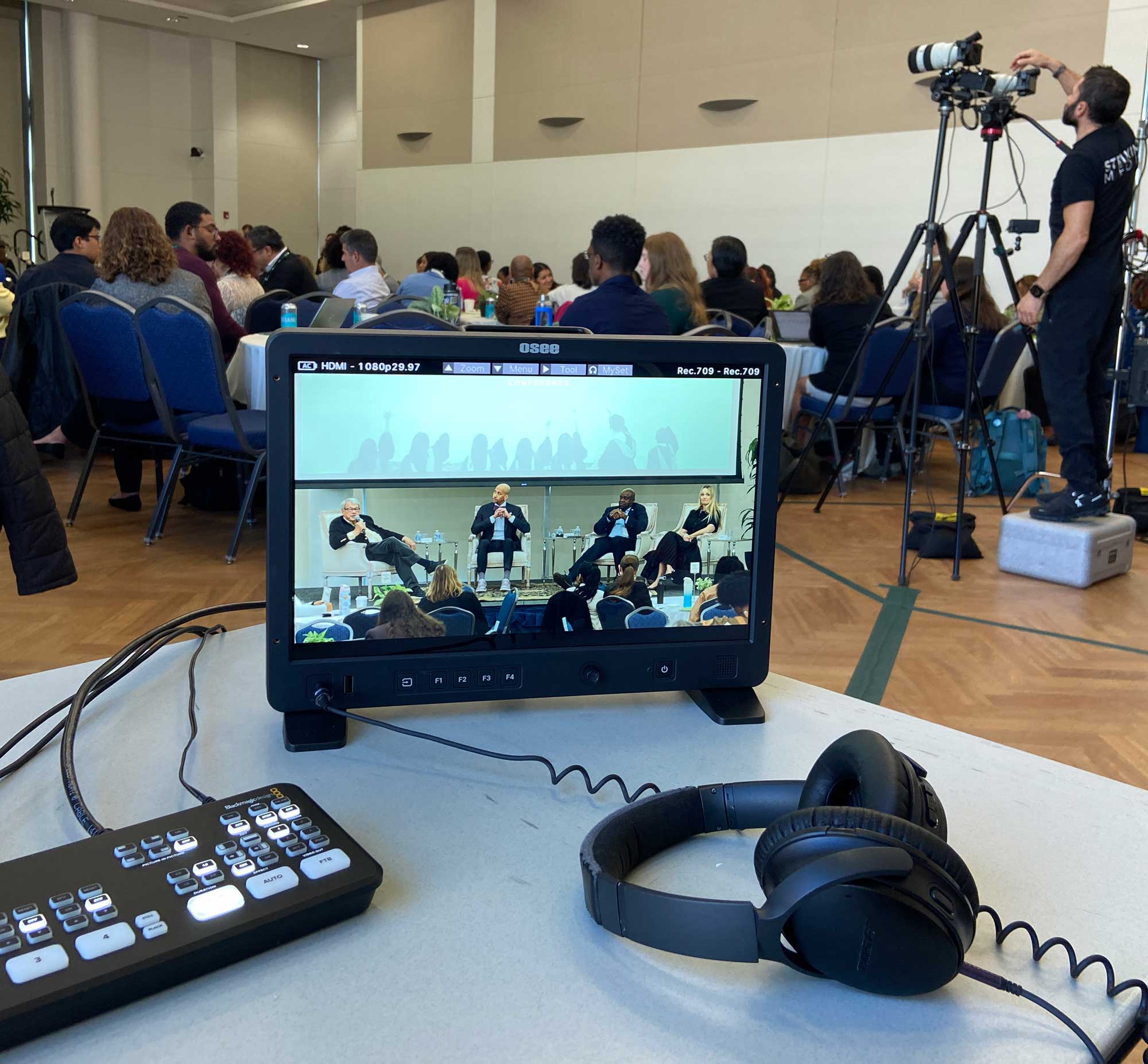
Hybrid conferences allow organizations to connect with attendees in Washington, DC, and participants joining from across the country or around the world. However, delivering a successful hybrid event requires a lot more than placing a camera in the back of a conference room and starting a livestream. Organizers must coordinate video production, room audio, remote speakers, audience interaction, and recording access to create a professional experience for everyone.
For associations, nonprofits, government contractors, and corporate organizations, conference videography in Washington DC can help extend an event’s reach while preserving the quality of its presentations and discussions. At Striking Media we know that with the right production strategy, a hybrid conference can engage both in-person and remote audiences before, during, and after the event.
Why Is Hybrid Conference Videography Important?
Hybrid conferences give attendees more flexibility by allowing them to participate without traveling to the venue. Hybrid conferences are most important for businesses that may be country-wide or even world-wide, it’s important to keep your whole team in the loop and included. Striking Media has had the honor of actually connecting teams from all over the country and world and nothing feels better than knowing that everyone is included, hearing and seeing your event flawlessly.
According to AVIXA’s guide to hybrid event production, successful hybrid events combine the right technology while intentionally fostering participation. Washington, DC organizations hosting policy discussions, association meetings, industry conferences, and professional development events, this flexibility can be especially valuable. Participants may join from different offices, cities, or time zones, making accessible and reliable video production an important part of conference planning and execution.
1. Plan a Reliable Conference Livestream
Livestreaming is one of the most important elements of hybrid conference production. Remote attendees should be able to follow presentations clearly without experiencing distracting camera angles, poor audio, or interruptions.
A professional production team can use multiple cameras to capture keynote speakers, panel discussions, presentation slides, and audience reactions. A dedicated video switcher allows the team to transition between shots and presentation content, creating a more polished viewing experience than a single stationary camera.
Internet connectivity is equally important. Before the event, confirm that the venue has sufficient bandwidth and a dependable connection for streaming. Whenever possible, use a wired internet connection and always establish a backup plan in case the primary connection fails.
Organizations should also select a streaming platform that supports their audience size, and registration requirements.
2. Prepare Remote Speakers Before the Event
Remote speakers can help organizations include experts, executives, and panelists who cannot attend in person. However, their participation requires additional coordination to ensure they appear and sound professional.
Schedule a technical rehearsal before the conference to test each remote presenter’s camera, microphone, internet connection, and presentation materials. Speakers should use a stable connection, a quiet environment, adequate lighting, and a quality microphone or headset.
The production team should also confirm how remote speakers will join the program, when they will be brought on screen, and how they will communicate with the moderator. Right before the event, before in-person attendees have arrived, has proved the most successful time to rehearse for us at Striking Media. It minimizes the amount of changing variables between rehearsal and show time. If done a day/days in advance a cable could get unplugged, levels changed, or a million other factors come into play.
Zoom’s guide to hosting hybrid events recommends all the same things, planning technology, staffing, and speaker participation in advance. These preparations help reduce technical delays and make remote presenters feel seamlessly integrated into the live program.
3. Prioritize Clear Room Audio
Audio quality can make or break a hybrid conference. In-person attendees may hear a speaker clearly through the venue’s sound system, but remote viewers need a separate, clean audio feed.
Professional conference videography teams should account for microphones, the venue’s sound system, and how audio will be routed into the livestream. Lapel microphones or headset microphones may work well for presenters, while handheld microphones are often most useful for audience questions.
Panel discussions require special attention because multiple speakers may need microphones, and overlapping conversations can make the stream difficult to follow.
Before the event begins, test the audio feed from the remote viewer’s perspective. Check speaker volume, presentation audio, transitions between presenters, and questions from the audience. A dedicated audio professional can monitor these elements throughout the conference and address problems as they arise.
4. Make Audience Q&A Work for Everyone
Audience participation should not stop at the edge of the conference room. If in-person attendees can ask questions during a panel or keynote, remote participants should have the same opportunity.
A moderator or virtual audience coordinator can monitor online questions, relay them to speakers, and ensure remote attendees are included in the discussion. For in-person questions, provide a microphone or have a staff member repeat the question into one.
Plan these processes before the event rather than improvising during a presentation. Assigning clear responsibilities to the moderator and production team helps keep discussions organized and inclusive.
5. Provide On-Demand Conference Video Access
The value of conference videography does not end when the livestream stops. Recorded presentations can help organizations reach attendees who missed a session, share insights with members, and repurpose content for future communications.
Depending on the event’s goals, deliverables might include full-session recordings, edited keynote presentations, panel discussion videos, short promotional clips, or a conference recap video. Check out our blog “Event Video Production in Washington DC: What Should You Capture at Your Conference?” for a more detailed guide on what to capture for your conference.
Here is a conference recap video we created for The College Funding Coach for their conference. Check out our event photography and videography page for more details.
Before recording, confirm speaker permissions, audience privacy requirements, and any restrictions on distributing presentations. Decide whether recordings will be public, available only to registered attendees, or hosted in a members-only portal.
Choose a Conference Videography Team That Understands Hybrid Events
Planning a hybrid conference in Washington, DC, requires coordination between a multitude of teams and individuals. Choosing a production team with livestreaming and multi-camera experience helps ensure that both in-person and remote attendees receive a consistent, professional experience.
Before hiring a provider, discuss your event format, streaming platform, remote speaker needs, audio setup, audience interaction, backup plans, and post-event deliverables.
Striking Media can help organizations approach conference video production with a focus on clear communication, professional coverage, and content that continues to serve audiences after the event. Whether you are organizing an association conference, corporate meeting, or nonprofit gathering, investing in the right production plan can help your message reach way beyond the venue.
Ready to plan your next hybrid conference? Contact Striking Media to discuss your conference videography needs in Washington, DC.
Frequently Asked Questions
1. How much does hybrid conference videography in Washington, DC, cost?
Costs depend on the event’s duration, number of cameras, livestreaming requirements, crew size, remote speakers, and post-production needs.
2. What equipment is needed to livestream a hybrid conference?
Most hybrid conferences require professional cameras, microphones, audio routing, video switching equipment, a reliable internet connection, and a suitable streaming platform.
3. How do you include remote speakers in a live conference?
Remote speakers can join through a video conferencing platform, with a technical rehearsal to test their connection, microphone, lighting, presentation materials, and transitions.
4. Can attendees watch conference recordings after the event?
Yes, organizers can provide on-demand recordings through a streaming platform, event portal, or members-only website, depending on access and privacy requirements.
5. Why hire a professional conference videography company for a hybrid event?
A professional team coordinates camera coverage, livestreaming, audio, remote presenters, and recording deliverables to create a more reliable experience for both audiences.
Author Bio:
Striking Media is led by Helen Saks. British born, Helen started her career at the BBC Television Centre in London and has worked in comedy, entertainment, news, documentary and spent years on the daytime show “This Morning” (think “Good Morning America.”) She started Northern Virginia-based Striking Media in 2020 and works with a passionate team of production talent. We are proud to work with corporate and no profit clients elevating your brand and telling your story. Our team is proud to have worked with clients such as the US Army, Lego, Legal&General, Boy Scouts of America, LuluLemon, Sheraton Hotels, Canon USA, South Moon Under, World Bank and United Nations.
